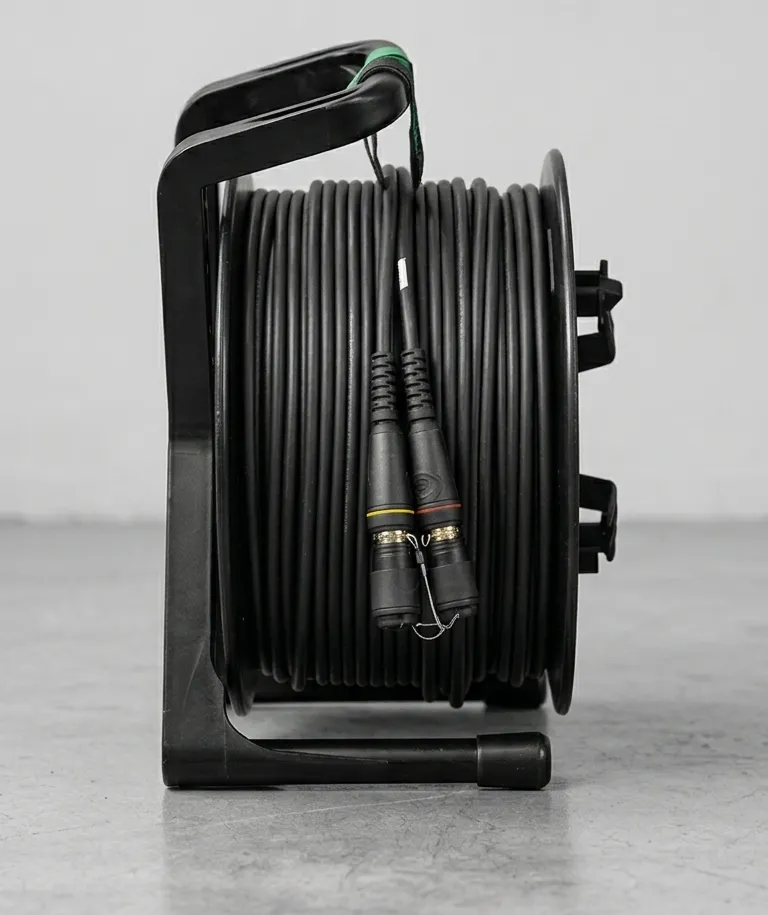
DMX and Art-Net Over Fiber: Lighting Control Fiber Guide
If you’ve ever spent an hour tracking down phantom DMX flicker on a show, only to find it was EMI from the dimmer rack bleeding into your XLR run, you already know why fiber matters for lighting control.
DMX-512 over copper (RS-485) has a 300-meter distance limit and zero immunity to the electromagnetic interference that surrounds every lighting rig. Art-Net and sACN fix the universe scaling problem but inherit copper Ethernet’s 100-meter distance limit. Fiber gets rid of both: 10+ km distances, full EMI immunity, and bandwidth for thousands of universes on a single strand.
Why DMX Over Fiber?
The Distance Problem
DMX-512 uses RS-485 signaling with a hard limit of 300 meters per cable run. Art-Net and sACN are Ethernet protocols, limited to 100 meters over Cat6 copper. For large stages, outdoor festivals, convention centers, and stadium shows, these limits aren’t enough.
| Transport | Medium | Max Distance |
|---|---|---|
| DMX-512 (RS-485) | Copper (5-pin XLR) | 300 m |
| Art-Net / sACN | Copper Ethernet (Cat6) | 100 m |
| DMX over fiber (converter) | Multimode fiber (OM4) | 550 m at 1G |
| Art-Net / sACN over fiber | Multimode fiber (OM4) | 550 m at 1G |
| DMX over fiber (converter) | Single mode fiber | 10–80 km |
| Art-Net / sACN over fiber | Single mode fiber | 10–80 km |
With fiber, distance stops being a constraint. A festival with the lighting console at FOH, 400 meters from the main stage truss positions? No problem. A convention center with a lighting control room 600 meters from the exhibit hall? Standard fiber run.
The EMI Problem
This is where fiber pays for itself fastest. DMX over copper RS-485 picks up electromagnetic interference from the exact equipment it’s deployed alongside: SCR dimmer racks, high-current power feeds, LED drivers, and moving light motors. The result is flicker, dropouts, and hours of troubleshooting that end with “we moved the DMX cable away from the feeder.”
Fiber is completely immune to EMI. Light doesn’t care about electromagnetic fields. Run your fiber right alongside a 400-amp feeder cable and the signal is unaffected. No ground loops, no signal degradation, no flicker.
The Universe Scaling Problem
A single DMX-512 universe carries 512 channels. Modern LED walls, pixel-mapped fixtures, and high-channel-count moving lights can demand 50 to 200+ universes for a single show. Running that many copper DMX lines is physically unmanageable.
A single 1 Gbps fiber link can carry over 1,500 Art-Net universes in theory. The practical limit is the processing capacity of your nodes and consoles, not the fiber.
DMX Transport Methods Over Fiber
There are two approaches, and choosing the right one depends on your scale and infrastructure.
Direct DMX-to-Fiber Converters
A dedicated DMX-to-fiber converter takes DMX-512 (RS-485 on 5-pin XLR) and converts it to an optical signal. One converter at the console end, one at the dimmer rack or fixture end. Point-to-point, simple, no network configuration required.
When to use converters:
- Replacing a single long DMX copper run with fiber
- Legacy consoles and fixtures that only speak DMX-512
- Simple point-to-point links (1–4 universes)
- Budget-conscious deployments where a full network switch is overkill
Key manufacturers:
- Doug Fleenor Design — The go-to DMX fiber converters. Simple, reliable, built for entertainment. Single-universe and multi-universe models available.
- Pathway Connectivity (Acuity Brands) — Pathport nodes that bridge DMX to fiber. Widely used in both installation and touring.
Most DMX-to-fiber converters support RDM (Remote Device Management) for bidirectional fixture configuration. Check the spec sheet; not all converters pass RDM transparently.
Art-Net / sACN Over Fiber (Network Approach)
Art-Net and sACN (ANSI E1.31) are Ethernet protocols. They run natively on any Ethernet network, including fiber. The approach: use managed switches with SFP fiber ports as your backbone, with protocol nodes at the endpoints converting between Art-Net/sACN and DMX-512 for the fixtures.
When to use the network approach:
- More than 4 universes
- Multiple stage positions or truss locations
- Shared infrastructure with audio, video, or comms (with VLANs)
- Need for routing, monitoring, or centralized control
- Any large-scale touring or installation
This is the standard approach for professional lighting. Art-Net 4 supports up to 32,768 universes. sACN (E1.31) supports 63,999 universes. The fiber network just carries the packets. The same infrastructure that carries your Dante audio can carry your lighting control.
Fiber Network Architecture for Lighting
The standard architecture is a star topology from the lighting control position to each stage area:
Console → Fiber backbone → Distribution switches → DMX nodes → Fixtures
How It Works
- The lighting console (grandMA3, ETC Eos, etc.) outputs Art-Net or sACN over its network port
- A managed switch at FOH with SFP fiber ports sends the data over fiber to each stage position
- At each truss or dimmer location, another switch (or a standalone node) receives the fiber signal
- Protocol nodes (Luminex LumiNode, ETC Response gateway, Pathway Pathport) convert Art-Net/sACN back to DMX-512 on 5-pin XLR for the fixtures
Each stage position gets its own home-run fiber cable back to the FOH switch. No daisy-chaining fiber between positions. Star topology means one cable failure only affects one position, not the entire rig.
VLAN Configuration
If your fiber network also carries audio (Dante/AES67) or video (NDI), use VLANs to isolate lighting traffic. Art-Net uses UDP broadcast (or unicast in Art-Net 4); sACN uses multicast. Without VLANs, broadcast traffic floods the entire network and can interfere with latency-sensitive audio.
A typical VLAN layout:
- VLAN 10: Lighting (Art-Net/sACN)
- VLAN 20: Audio (Dante)
- VLAN 30: Video/Data
- VLAN 1: Management
Redundancy
For show-critical lighting, run redundant fiber paths between FOH and each stage position. Managed switches with Spanning Tree Protocol (STP) or rapid spanning tree (RSTP) handle automatic failover if a primary fiber link goes down. Many lighting nodes also support dual network connections — primary and secondary — for protocol-level redundancy.
Single Mode vs Multimode for Lighting
Art-Net and sACN bandwidth is trivial, well within 1 Gbps. The deciding factor is distance, not bandwidth.
Multimode (OM3/OM4)
- Works for runs under 300–550 meters at 1G
- Appropriate for most indoor venues, theaters, arenas
- Lower SFP cost (850 nm multimode SFPs are cheaper)
- Good choice when all lighting positions are within the venue
Single Mode (OS2)
- Required for runs over 550 meters
- Outdoor festivals, stadiums, convention campuses
- Handles 10G/25G if you ever converge video onto the same infrastructure
- Increasingly the default even for shorter runs due to falling cost
Our recommendation: If you’re buying new fiber cable for a touring lighting rig, go single mode. The cable cost difference is minimal, and you’ll never be limited by venue size. If your fiber might also carry video or converged production traffic in the future, single mode is the only sensible choice.
Equipment Selection
Purpose-Built for Entertainment
- Luminex GigaCore — Managed switches built for entertainment networks. SFP fiber ports, AVB/TSN support, touring-grade build. The GigaCore 16Xt and 26i are workhorses for fiber-based lighting networks.
- Luminex LumiNode — Art-Net/sACN to DMX-512 converter nodes. Available in 4-port and 12-port models. Connect to GigaCore switches via fiber or copper.
- ETC Response — Gateway nodes for the ETC ecosystem. Native sACN, integrates with Eos consoles.
- Pathway Connectivity Pathport — Protocol nodes with Art-Net, sACN, and DMX. Rack-mount and DIN-rail models.
Generic Managed Switches
You don’t need entertainment-specific switches. Any managed switch with SFP ports works:
- Cisco — CBS350 series is popular in production. Reliable, well-documented VLAN configuration.
- Netgear — M4300 series with SFP+ ports. Good price-to-performance for touring.
The key requirements: managed (not unmanaged), SFP ports for fiber, and IGMP snooping support for sACN multicast.
Deployment Best Practices
Cable Runs
Run one fiber cable to each truss position or dimmer location. At the truss, a compact switch or node distributes to fixtures via short copper DMX or Ethernet runs. Fiber handles the long runs; copper handles the short last-mile connections.
Labeling
Label fiber runs by physical position: “Truss 1 Upstage”, “Dimmer Room A”. Not by universe number. Universe assignments change between shows. Physical locations don’t.
Pre-Show Testing
Before every show:
- Verify fiber link status on all switch ports (link LED or switch management interface)
- Send test Art-Net/sACN data from the console and confirm all nodes respond
- Check for universe conflicts or duplicate Art-Net nodes on the network
- If using VLANs, verify lighting traffic is isolated from audio/video
Addressing the “Fiber Is Fragile” Concern
Lighting techs who haven’t used fiber often worry it’s too delicate for the road. Tactical fiber cable with steel armor and polyurethane jacketing is more durable than copper DMX cable: higher crush resistance, better moisture resistance, and no corrosion. Neutrik opticalCON connectors lock positively and survive the same abuse as powerCON and XLR.
The real risk is dirty connectors. Keep dust caps on unmated connectors and clean end faces before every connection. That one habit prevents 90% of fiber issues on shows.